Free AI Room Design From Your Own Photo
Upload a photo of any room, pick from 30+ styles, get a photorealistic redesign in ~10 seconds.
3 free designs · no credit card
Upload your room photo
Choose a JPG, PNG, or WebP photo. Your image stays on this device while the design workflow is being connected.
Free designs remaining: 3
Your uploaded images are never used for public examples, showcases, or model training.
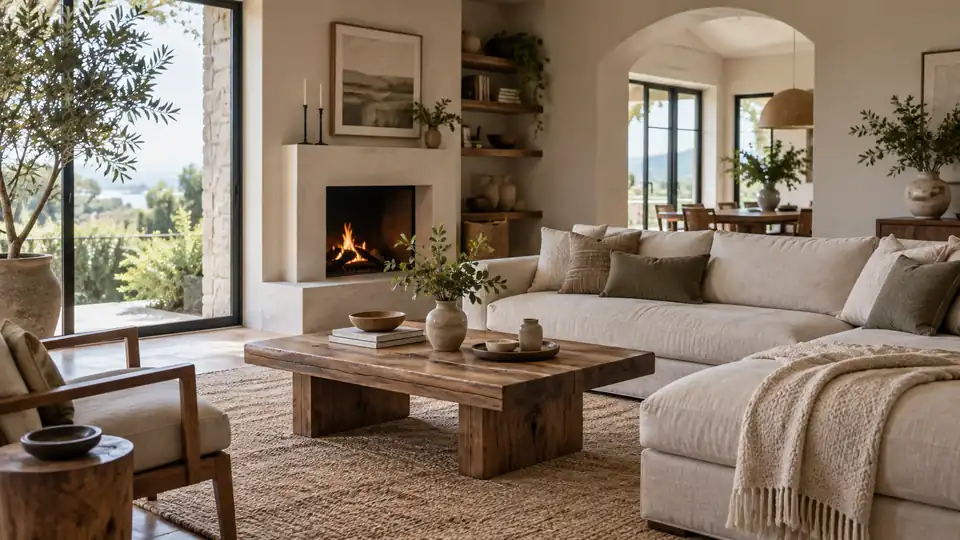
What Is RoomDesignHQ?
RoomDesignHQ is a free AI room design tool that turns a single photo of your room into a photorealistic redesign in about 10 seconds.
The idea is simple: start with the space you actually have, try a direction on screen, then decide which changes are worth making in real life. You can open the photo uploader without creating an account or entering a credit card.
Why Redesigning Blind Is Expensive
Paint swatches, furniture dimensions, lighting, and finishes can look convincing in isolation but feel different once they are together in your room. Buying before you can see the combination creates avoidable returns, delays, and rework.
A photo-based preview gives you a concrete starting point for comparing directions. It does not replace measurements or a professional plan, but it helps you narrow your choices before you spend money on materials or furnishings.
AI Room Design From a Photo in 3 Steps
The workflow starts with your own room, so the layout and fixed features stay in view while you explore new ideas.
Upload a photo of your room
Use a clear image that shows the walls, floor, and major furniture. You can choose a photo directly on this page without signing in.
Choose a style and design goal
Explore the planned style library and decide whether you want a full-room refresh or a focused change to one area.
Compare the redesign with your space
The intended result is a photorealistic view you can compare with the original photo before committing to a renovation or purchase.
8 AI Design Tools in One Place
Different projects need different starting points. These eight design workflows cover whole-room ideas, layout planning, photo-based edits, staging, and outdoor spaces; the linked pages explain each workflow.
AI home design
Explore a coordinated direction across rooms before buying finishes or furniture.
AI interior design
Use an existing interior photo to compare layouts, materials, and moods.
AI floor plan design
Think through circulation and furniture placement before making a room feel crowded.
AI kitchen design from a photo
Evaluate cabinetry, surfaces, and lighting against the kitchen you already have.
AI bathroom design from a photo
Compare tile, fixtures, and storage ideas in the context of your bathroom.
AI virtual staging
Imagine how an empty room could look with furnishings and a clearer purpose.
AI exterior design
Consider facade and entry updates while keeping the existing structure in view.
AI landscape design
Explore planting, paths, and outdoor zones around your current property.
Design Any Room — Kitchen, Bathroom, Living Room & More
A redesign is easier to judge when it reflects the room you will actually use. Start with a room-specific page for the decisions that matter most there, from kitchen storage to bedroom lighting.
Outdoor pages cover the spaces that shape a first impression and how you use your home beyond its walls. Each link opens a focused page without forcing you into a sign-up flow.
Free AI Room Design Tools
The free trial covers three designs without a credit card. Start with a general home or interior idea, or choose a photo-specific kitchen or bathroom path when your project is more focused.
These links lead to the current tool pages. The upload entry on this homepage is available immediately; image generation is being connected separately.
Frequently Asked Questions About Free AI Room Design
Here are the practical details to check before you choose a photo or plan how to use a result.
- Is AI room design really free?
- The trial includes three free designs and does not ask for a credit card. Subscription pricing for additional designs has not been published yet.
- Do I need to log in to try it?
- No. The homepage lets you choose a room photo without logging in. A browser cookie keeps track of the three-design trial allowance.
- Which rooms can I design?
- The site has dedicated paths for kitchens, bathrooms, living rooms, bedrooms, basements, laundry rooms, gardens, pools, decks, and front yards, plus broader home, interior, exterior, and landscape ideas.
- Can I upload a photo of my own room?
- Yes. Use the uploader on this page to choose a photo of your own space. The current page shows a local preview; generation will be connected to that flow.
- How long does an AI redesign take?
- The planned generation flow targets about 10 seconds per redesign. Actual time may vary with image size and service load once generation is live.
- Can I change only part of a room?
- Focused edits are part of the planned toolset, so you can explore one area without changing the entire room. That editing flow is not connected to the homepage uploader yet.
- What design styles are supported?
- The planned style picker includes more than 30 directions. The complete style list will be shown in the design flow rather than guessed from a sample image.
- Will my designs have a watermark?
- The export and watermark policy has not been published yet. Check the final download terms before relying on a design for a presentation or listing.
- Can I use a design commercially?
- Commercial-use rights have not been published yet. Review the license and export terms before using a result in client work, marketing, or a property listing.
AI Room Design on Mobile
You can open the homepage in a mobile browser and choose a room photo from your phone. A straight-on, well-lit image makes the space easier to understand than a dark or heavily cropped shot.
The page keeps the same no-login entry point on smaller screens. There is no separate app installation step for selecting a photo, and your local preview stays on the homepage.